How to Download & Install GB WhatsApp Safely in 2026
Introduction
Downloading and installing GB WhatsApp safely in 2026 requires more care than ever because there are many fake APKs and scam websites online. Choosing the right source and following the correct steps ensures your chats, data, and device stay protected. This comprehensive guide walks you through every step to get GB WhatsApp running securely on your Android phone.
Whether you are a first-time mod user or switching from another WhatsApp mod, this guide helps you install GB WhatsApp with zero risk to your data.
Why Safe Installation Matters
GB WhatsApp is a third-party mod, which means it is not available on Google Play. Installing it from the wrong source can lead to:
Taking precautions saves you from costly mistakes.
Prerequisites Before Installation
Before downloading, prepare your Android device.
| Requirement | Why It Matters |
|---|---|
| Android 7.0 or higher | Compatibility with GB WhatsApp |
| 500 MB free storage | Space for APK and data |
| Stable internet | Smooth download and verification |
| Charged battery above 50 percent | Prevent shutdown during install |
| Google account logged in | For backup and restore |
| Existing WhatsApp data | For chat migration |
Step 1: Back Up Your Official WhatsApp Chats
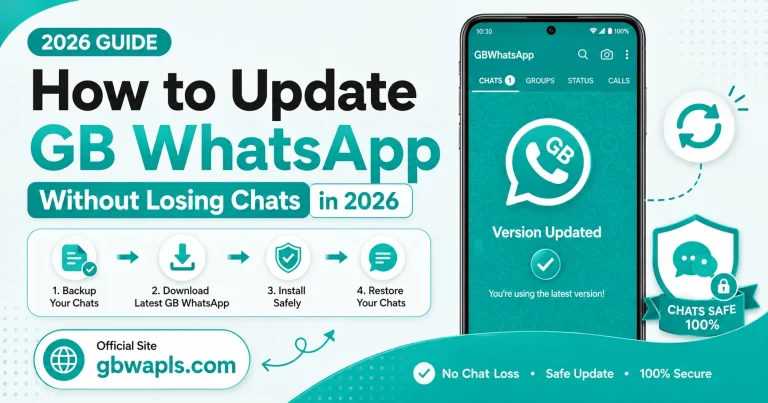
If you currently use official WhatsApp and want to migrate, open official WhatsApp, tap the three-dot menu, go to Settings, then Chats, then Chat Backup, tap Backup Now, and save the backup to Google Drive. This backup can be restored inside GB WhatsApp after installation.
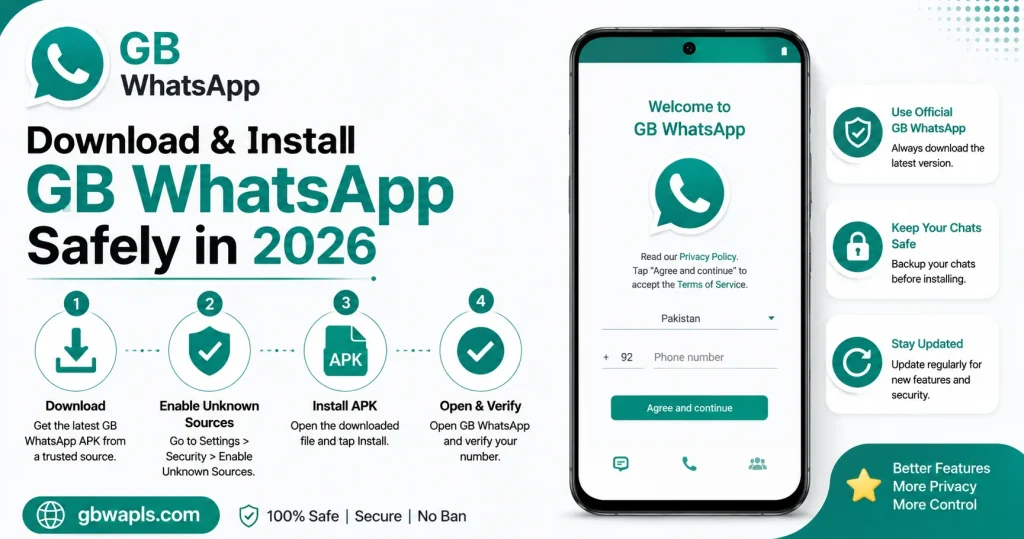
Step 2: Enable Unknown Sources
GB WhatsApp is not on Google Play, so you must allow installation from unknown sources. Open Android Settings, go to Apps or Security, tap Install Unknown Apps, select the browser or file manager you will use, and toggle Allow from this source on. This permission is required to install any APK outside the Play Store.
Step 3: Find a Trusted Source
Only download GB WhatsApp from trusted sources such as the official GB WhatsApp Telegram channel, well-known developer websites with positive community feedback, established mod communities on Reddit and XDA, and verified mirrors recommended by long-time mod users. Avoid random file-sharing sites, pop-up ads, and YouTube description links that promise free downloads.
Step 4: Download the Latest GB WhatsApp APK
Open your browser, visit the trusted source you selected, tap the download link for the latest version, save the file to your Downloads folder, and wait for the download to complete. The file size is usually between 50 and 70 MB.
Step 5: Verify the APK File
Before installing, verify the file integrity. Check the file name matches the official version name, verify the file size is reasonable, scan the APK with your antivirus app, and compare the SHA hash if the developer provides one. This step helps you avoid tampered files.
Step 6: Install the APK
Open the Downloads folder, tap the GB WhatsApp APK file, confirm the installation, wait for the installation to complete, and tap Open to launch the app. The first launch may take a few seconds.
Step 7: Verify Your Phone Number
Open GB WhatsApp, agree to the terms and conditions, enter your mobile number, choose SMS or call verification, enter the 6-digit code you receive, and complete the setup. Make sure you have a stable internet connection for verification.
Step 8: Restore Chat Backup
After verification, GB WhatsApp will detect local backups. Tap Restore when prompted, wait for chats and media to load, and enable Google Drive backup for future safety.
Step 9: Adjust Privacy and Customization Settings
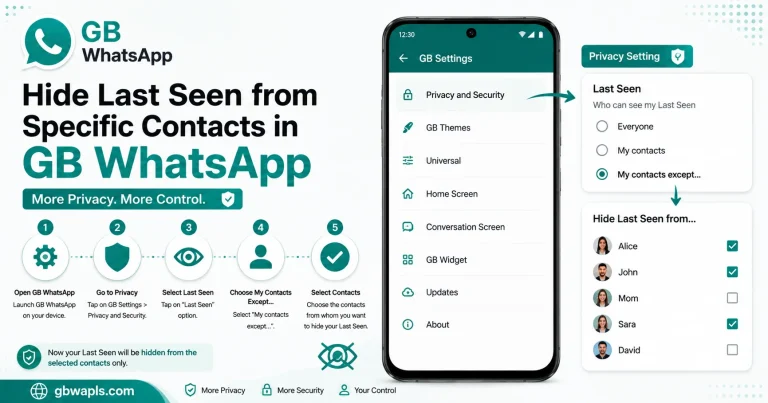
Open GB Settings, enable Ghost Mode for privacy, apply your preferred theme, configure auto-reply and scheduled messages, and set chat lock for sensitive conversations.
Comparison: Trusted vs Untrusted Sources
| Source Type | Safety Level | Risk |
|---|---|---|
| Official developer site | High | Low |
| Established mod community | High | Low |
| Telegram channel of developer | High | Low |
| Reddit recommended links | Medium to high | Medium |
| Random APK sites | Low | High |
| Pop-up ads | Very low | Very high |
| YouTube download links | Low | High |
Post-Installation Best Practices
Create a local backup immediately, enable Google Drive backup, set a chat lock for private conversations, update GB WhatsApp regularly, avoid clicking unknown links in chats, use a secondary number for mod use, and keep your antivirus active.
How to Verify GB WhatsApp is Genuine
After installation, check the following:
If any of these seem off, uninstall immediately and scan your phone.
Safety Checklist Before Installation
The safety checklist before installation includes:
Difference Between GB WhatsApp and Fake Clones
| Feature | Genuine GB WhatsApp | Fake Clone |
|---|---|---|
| Anti-ban module | Yes | No or fake |
| Theme store | Yes | Limited or none |
| Custom privacy options | Yes | Few |
| Developer support | Active | None |
| Malware behavior | None | Ads, data theft, background activity |
| Update frequency | Regular | Rare or none |
What to Do If You Installed a Fake Version
If you suspect you installed a fake GB WhatsApp, uninstall the app immediately, clear browser cache and downloads, run a full antivirus scan, change passwords for important accounts, reinstall GB WhatsApp from a trusted source, and restore chats from your backup.
Long-Term Safety Tips
Subscribe to the official Telegram channel for update alerts, read community feedback before updating, keep your phone OS updated for security patches, avoid granting unnecessary permissions, use a VPN for added privacy, and back up chats monthly to cloud and local storage.
Frequently Asked Questions
Final Verdict
Downloading and installing GB WhatsApp safely in 2026 is straightforward when you follow the right steps. Always use trusted sources, verify the file, and back up your data before installation. With proper precautions, you can enjoy all GB WhatsApp features without compromising your device or privacy.